How it works
From your first plan to your workout history
Jaksa! Jaksa! brings structure to your training without telling you how to train. Build plans you can reuse, log what you actually do, and shape each session around how you feel and what is free in the gym. Coaching someone? Share your plans with a link or publish them on your own profile.
Start with a ready-made plan
The quickest way to get going is a plan template. On the plans page you will find Plan templates: ready-made routines for gym machines, dumbbells, bodyweight, mobility, and cardio. Each one shows the equipment it needs and roughly how long it takes.
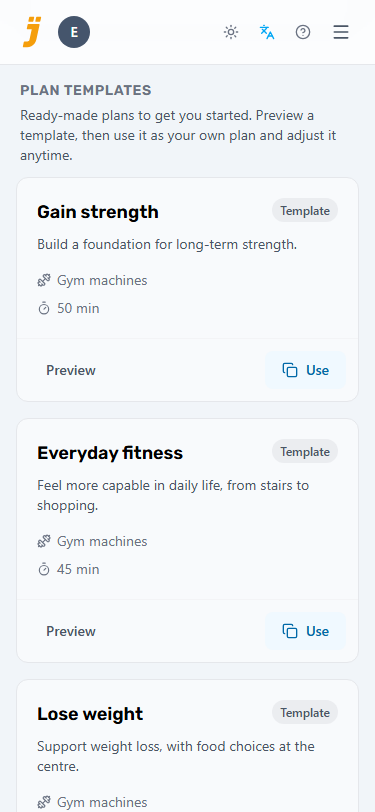
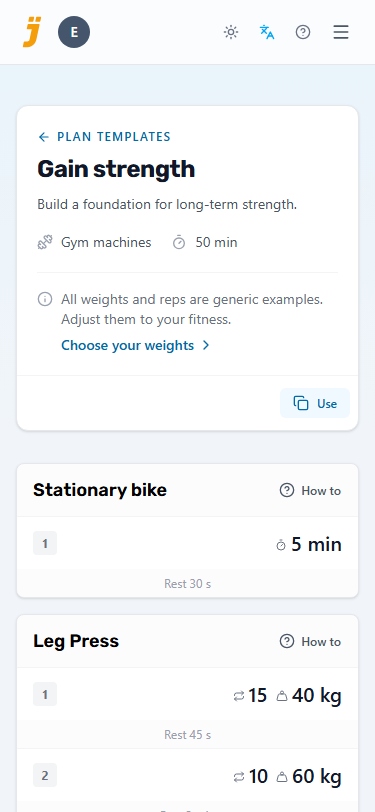
Tap Preview to see every set first, then Use to add the template to your plans. The exercises it needs come with it, and from then on it is your plan to edit like any other. The weights and reps are generic examples, so Choose your weights gives a few quick tips for finding a starting point that suits you.
That is all you need for your first workout. Skip ahead to starting a workout, or read on to build things your own way.
Build your own exercise library
Want more control? You can always build everything by hand: first the exercises, then the plans that use them. Bring exercises into your library in two ways: import ready-made ones, or create your own.
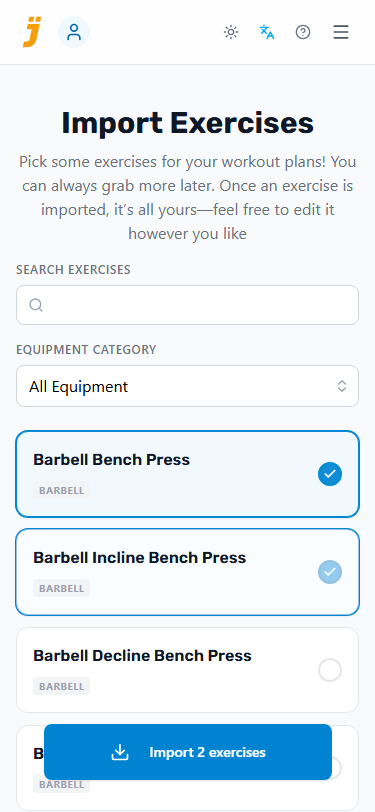
Importing is the faster of the two. Search or filter your way to what you need, tick off as many exercises as you like, and bring them in together. Imported exercises are yours from then on. Rename them, add your own notes, or change what they track, just like the ones you create yourself.
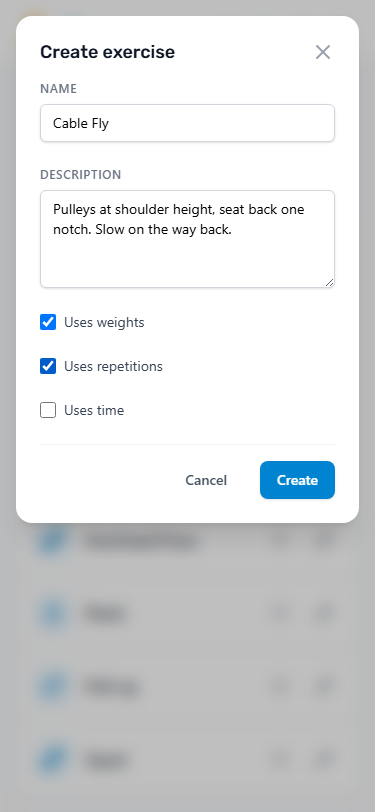
Anything the ready-made list does not cover, you can create yourself.
Every exercise needs a Name. The Description is optional. Use it to remind yourself how the movement goes, or to note the machine settings you like to come back to: seat height, pin position, grip. Then decide what you want to track:
- Uses weights Lets you aim for a weight in kilograms and log what you really lifted, which is what your progress charts are built from.
- Uses repetitions Lets you aim for a number of reps and log how many you managed.
- Uses time Lets you aim for a duration, with an optional countdown to time it.
Pick whichever combination suits the movement: weight and reps for a press, reps alone for pull-ups, time for a plank. What you choose here is what you will see when you build plans and train.
Your library groups exercises by what they track, matching their icons: weights, reps, or time. An exercise with weights counts as a weights exercise even if it also tracks reps or time, and time comes before reps. Each exercise shows how many workouts it has been part of and when you last did it. Choose Most used to bring your staples to the top of each group, or search to find one by name.
Turn exercises into reusable plans
With your exercises in place, choose New plan on the plans page to build your own plans: as many as you need — Push Day, Pull Day, Leg Day, whatever suits your week. Add sets one at a time: pick the exercise, set your targets, and choose how long to rest between sets.
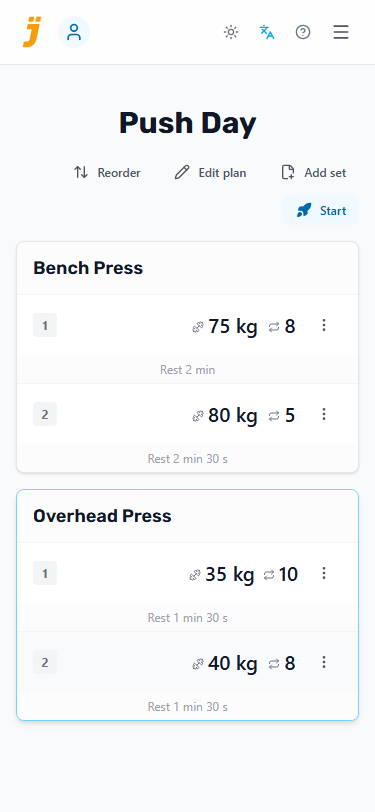
Targets are a starting point, not a contract. With Progressive load on, each workout picks up where the last one left off: your sets show what you actually did last time instead of the original targets. It is on by default, so tap Edit plan and turn it off if you would rather stick to fixed targets. On a phone, it is in the actions menu at the top of the plan.
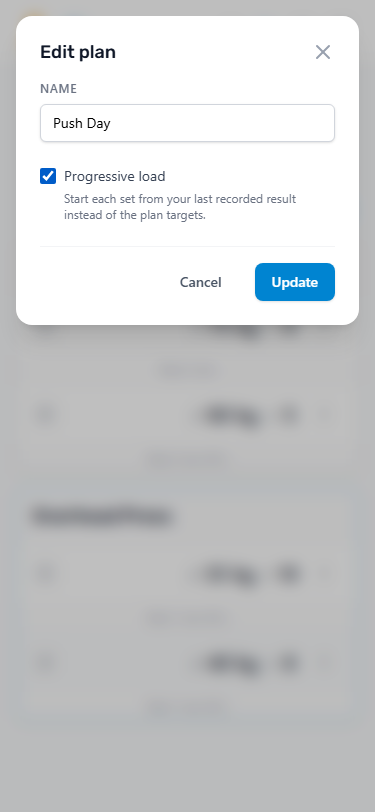
Want a shorter version of a plan, or to split one in two? Choose Copy existing plan on the plans page, then pick the source plan. This option appears once you have a plan with sets to copy. From an open plan, choose Copy to new plan. This lets you tick whole exercises or single sets and turn them into a new plan. With Progressive load on, the copy starts from your latest results. Tap any reps, weight, time or rest value to change it for the copy, typing a number or using the − and + buttons, so the new plan is ready to train with. The original plan stays as it is.
Made a plan worth passing on? You can share it with a link or publish it for others to copy.
Start a workout and log your sets
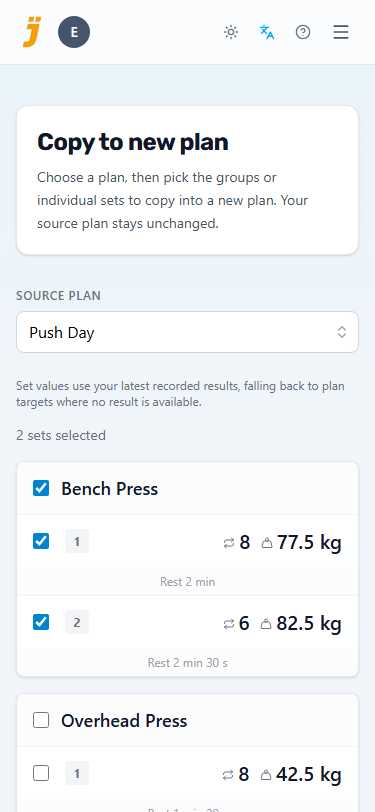
Tap Start workout and choose a plan. Follow as much of it as you like.
The main page suggests the plan that comes next in your rotation, so you can start it with a single tap. To train something else, pick another plan from the list beside the button first. The ones you trained in the past two weeks come right after the suggestion.
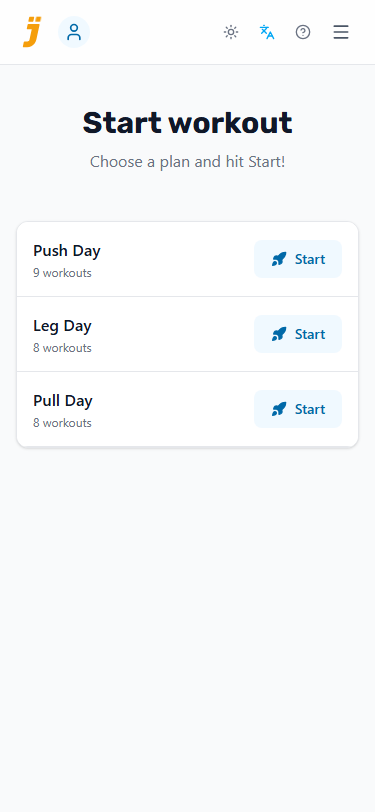
To adjust the plan's exercises or sets, tap Edit plan in the workout header to open its plan.
Every set in the plan has its own complete set button. Tap it when you finish the set and the rest countdown takes over. Tap again to cut the rest short if you are ready sooner.
Timed exercises — a plank, a stretch, time on the treadmill — also get a start timer button beside the tick. It stands in for a stopwatch: tap it to start the countdown. When your planned time is up it beeps and turns green, and another tap starts it over; a tap mid-countdown resets it. The countdown never ticks off the set for you, so tap the tick when you are done, as with any other set.
Not sure how an exercise is done? Tap How to beside its name, in the workout, on the exercise page or in a template preview, to search the web for instructions in a new tab.
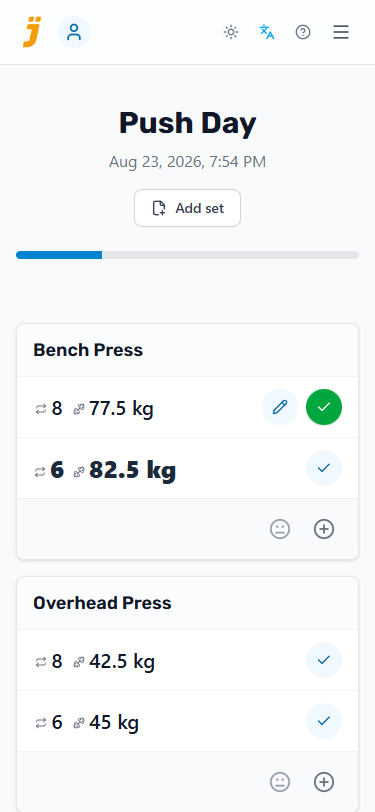
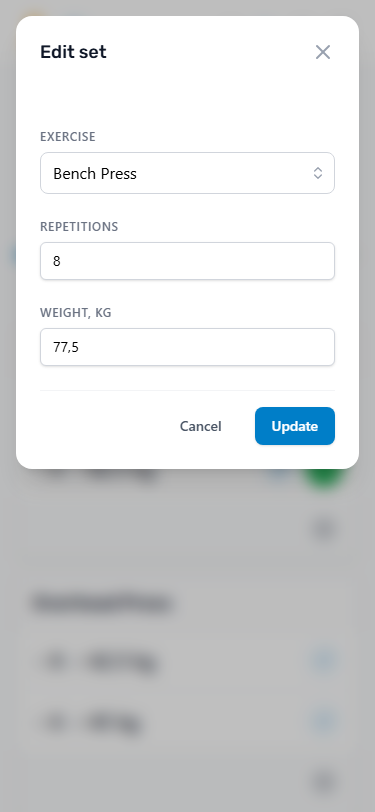
If a set went better or worse than planned, tap the edit set next to it and put in what you actually did. That is what lands in your history and, with Progressive load on, what you will start from next time.
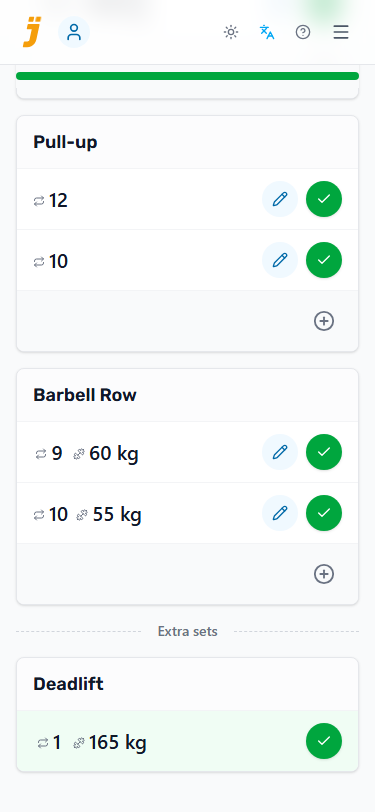
Tap Add set at the top or the add set below an exercise to log something that was not in the plan. It lands under Extra sets, saved with the workout but not counted towards the plan.
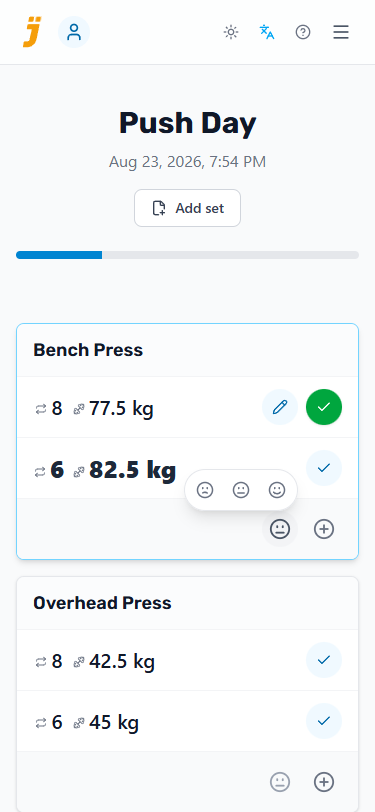
To optionally record how an exercise felt this time around, tap the rate feel button in the exercise block footer. A floating selector lets you pick between tough (Tough) or easy (Easy) to keep track of difficulty over time. Tapping an active option again resets it.
Leave, return, and learn from history
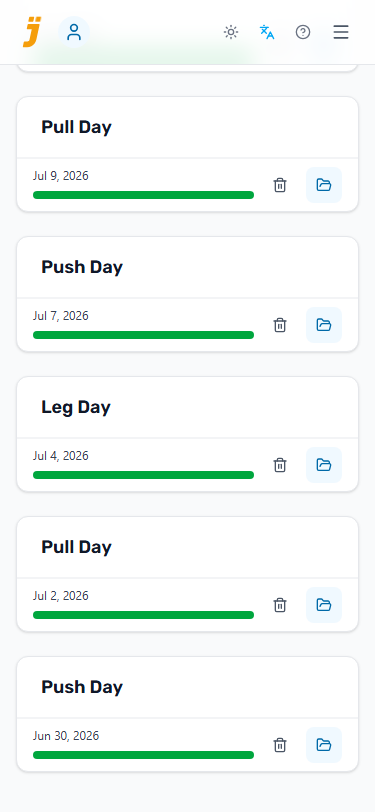
A workout is saved from the moment you start it. When you are done, simply leave the screen, however far through the plan you got. Reopen any session from Workout history to look back at it, or to pick up where you left off.
Training rhythm shows your training days over the last 12 weeks, across all your plans. The counters show your total training days and weekly average. A day counts once you log a set; multiple sessions on the same day count once. Select a weekly bar for its total and dates in the footer beneath the chart. The two counters sit above the chart, separated by a divider. The lane behind each bar highlights on hover or keyboard focus and stays highlighted when selected. Weeks run Monday–Sunday, and the current week is still in progress. The counters both cover the same 12 weeks, including the current partial week and weeks without training. The weekly average is the total training days divided by 12.
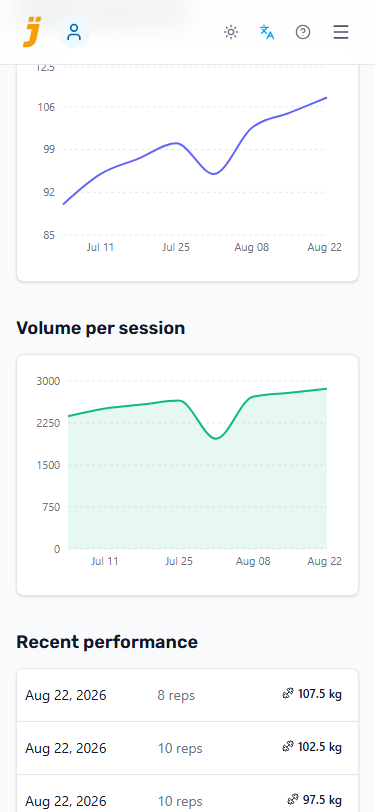
Every exercise builds up a history of its own as well: the weights and reps from last time, your best set, and how it has all moved over the weeks.
Share plans with the people you train
A good plan is worth handing on. A coach writes programmes for clients, a physiotherapist gives patients exercises to keep up at home, and friends swap routines that work for them. Instead of a printout or a PDF that goes out of date, build the plan here once and send a link.
Whoever opens the link sees every exercise, set, target, and rest time in their browser, without an account. Once they sign in, they copy the plan to their own plans and train with it like any other: tick off sets, adjust the weights, and build up their own history. Your plan stays yours, as does your workout history.
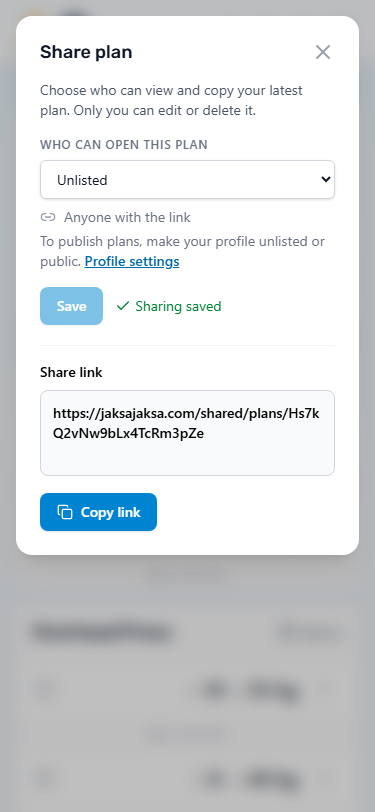
Every plan starts Private, for your eyes only. To give it to someone, open the plan, tap Share, choose Unlisted and tap Save. Copy the link that appears below and send it the way you already keep in touch: a text message, an email, your booking system, or a QR code on a handout. Only people with the link can open the plan, which suits a workout routine written for one person. With Progressive load on, the link shows the weights from your latest workout, so a training partner sees what you are lifting now.
Anyone with an unlisted link can open it. Do not include a client's name, contact details, or other personal information in shared plans or notes without their permission.
The link always shows the latest version of your plan, so a change you make reaches everyone who opens it afterwards. Copies people have already saved stay as they are. To turn the link off, choose Private and save. Below the plan's name, the plan page shows who can open it and how many people have copied it, for example Unlisted and Copies: 2.
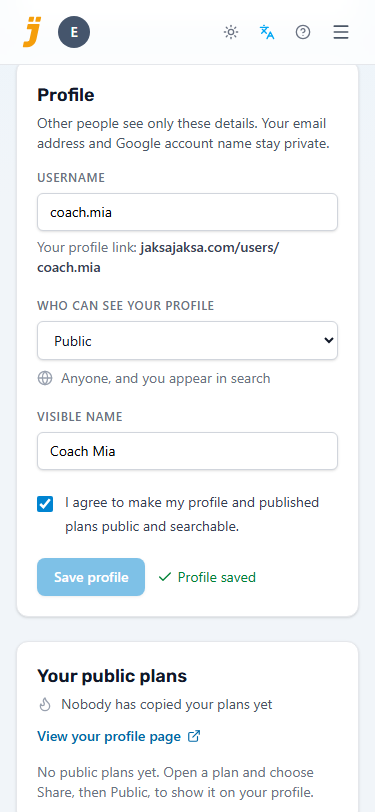
Handing out several plans to many people? Give yourself a profile: one page with your name and every plan you publish. Open your profile from the avatar at the top of the page and edit the Profile form. Start with a username for your profile link, the visible name people see. Your email address and Google account name stay private. A photo option appears only when a Google photo is available, and your photo is shown only if you turn it on.
Then choose who can see your profile:
Choose visibility in the dropdown below your username. For Public or Unlisted, tick the consent checkbox above Save profile. That one save applies your username, profile details and visibility together. Your saved choice stays checked when you return; choosing a different visibility asks for a new choice. To withdraw publication, choose Private and save. Existing copies and search caches may remain; revoke separate unlisted plan links in each plan's sharing settings.
- Unlisted opens it for anyone with your profile link. Give it to your clients or patients without advertising yourself to strangers.
- Public also lists you under People, so anyone can find you by name and browse your plans.
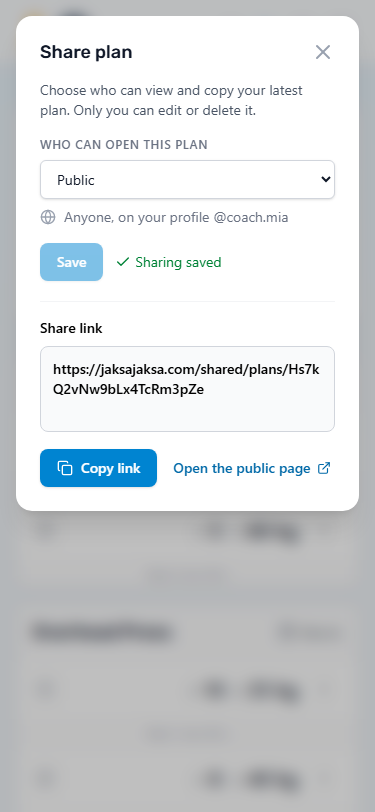
Once your profile is visible, the Share dialog offers Public as well: choose it and save. A public plan appears on your profile, and Open the public page shows it the way others see it. Its link keeps working too, so you can still send a single plan straight to someone.
Public plans show the targets you set, not your latest results, so they read as suggestions that everyone adjusts to suit them. Make your profile private again at any time: your public plans then become unlisted, and the links you have handed out keep working.
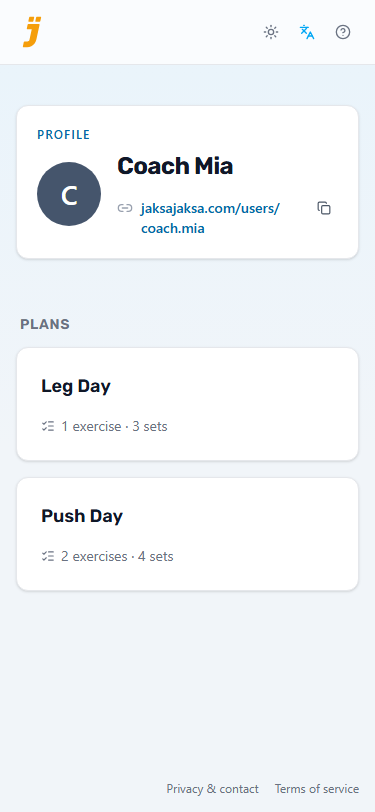
This is what a client sees when they open your profile link, without signing in: your name, your introduction, and your published plans. Send the profile link once, and every plan you publish later shows up there too.
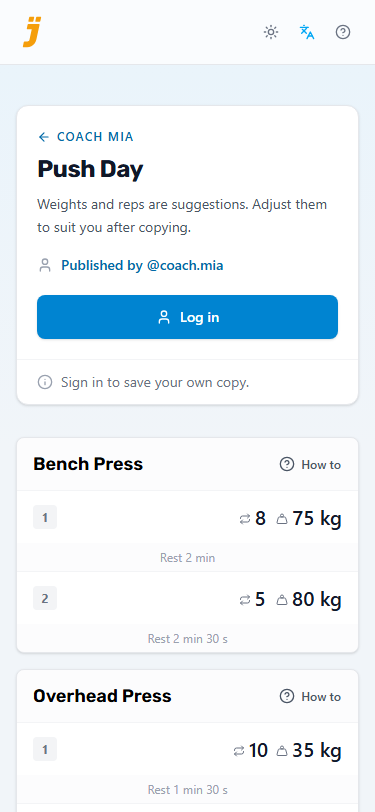
Opening a plan shows its sets and rest times, with a How to link beside each exercise. After signing in with Google, they tap Copy to my plans and the plan is theirs to edit, start, and log. The exercises it needs come with it. Later changes to your plan do not alter their copy, so when a programme moves on, update your plan and send the link again.
Looking for a plan from your coach or a friend? Once someone else has a public profile, People appears in the menu: search by name or username, or browse the most popular profiles. Popularity counts the different people who have copied someone's plans. If you change a copied plan's exercises or their order and share it on, both you and the original author are credited for the people who copy it.